
Central Reservation System for Hotel Groups and Multi-Property Operators
One reservation system for every property you run.
Set each property up once. Sell it on its own booking site, on one group site that searches the whole portfolio, on Google, through partners and on every OTA, all from the same inventory. Your PMS stays where it is.
- Properties served
- 500+
- Years running distribution
- 20+
- Commission on bookings
- $0
- Channels connected
- 200+
Your PMS and your revenue management system feed one central inventory. The channel manager pushes that inventory to the OTAs, the GDS and vacation-rental sites and brings their bookings back. Your property booking sites, the group site, the widget, Google Hotels and your partners check it live and book against it.
ChannelRUSH CRS
One inventory for the whole portfolio: rates, availability, restrictions and reservations, per channel, date, room type and rate plan.
Distribution model
The channel manager sends your inventory out. Bookings come back into the CRS.
Live booking model
Every point of sale checks the live price, then books in real time.
Set up each property once.
Every property keeps its own rooms, rates, policies, extras, taxes, currency and languages. Set them up once in CRS Settings, and every site, partner and channel sells from that setup.
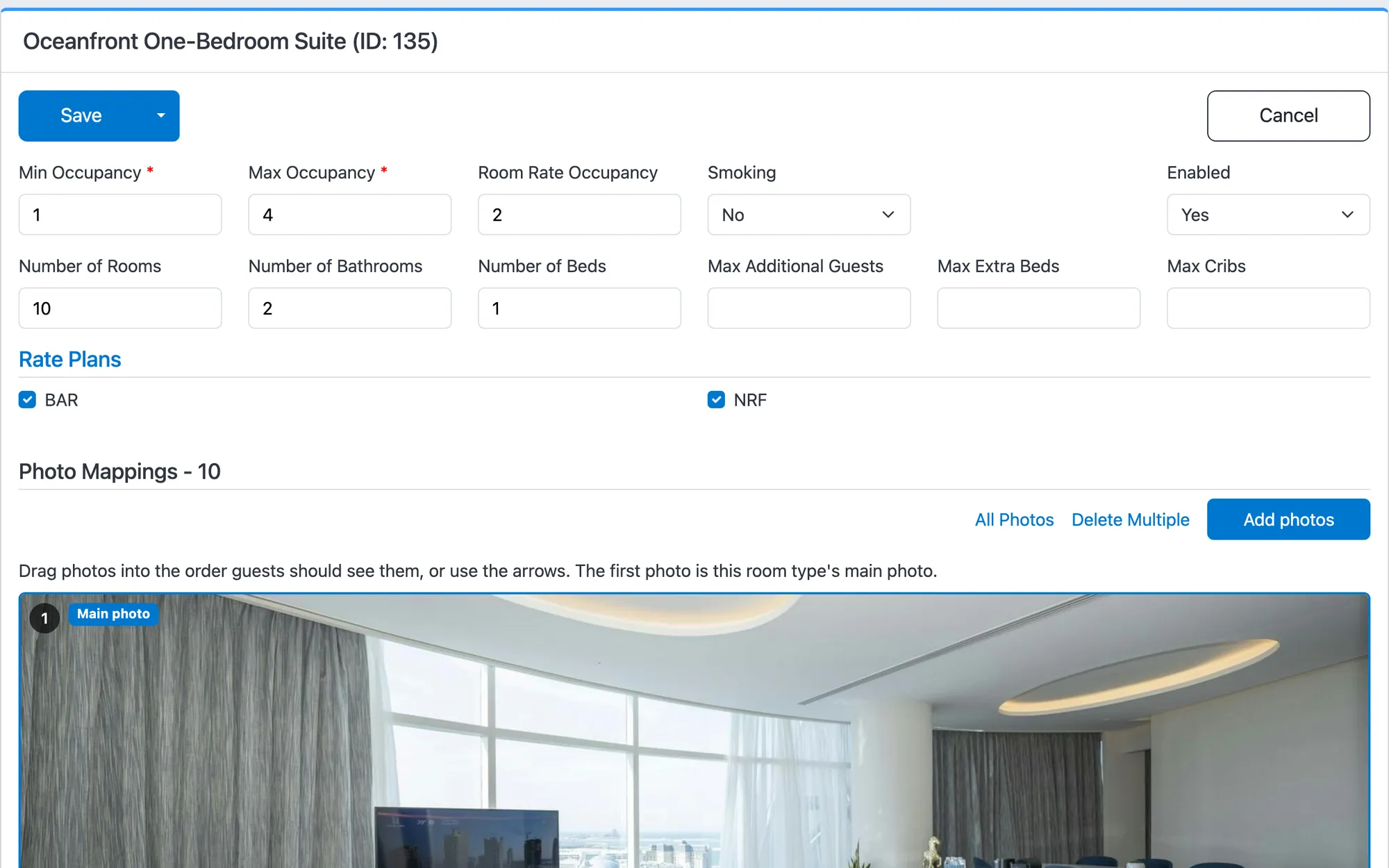
Rooms the way guests book them
Each room type has its occupancy, beds, bathrooms, size, extra beds and cribs, amenities and its own photos in order. You choose which rate plans sell it.
- Occupancy, rooms, bathrooms and beds, with extra beds and cribs
- The rate plans that sell this room
- Its photos, in the order guests see them
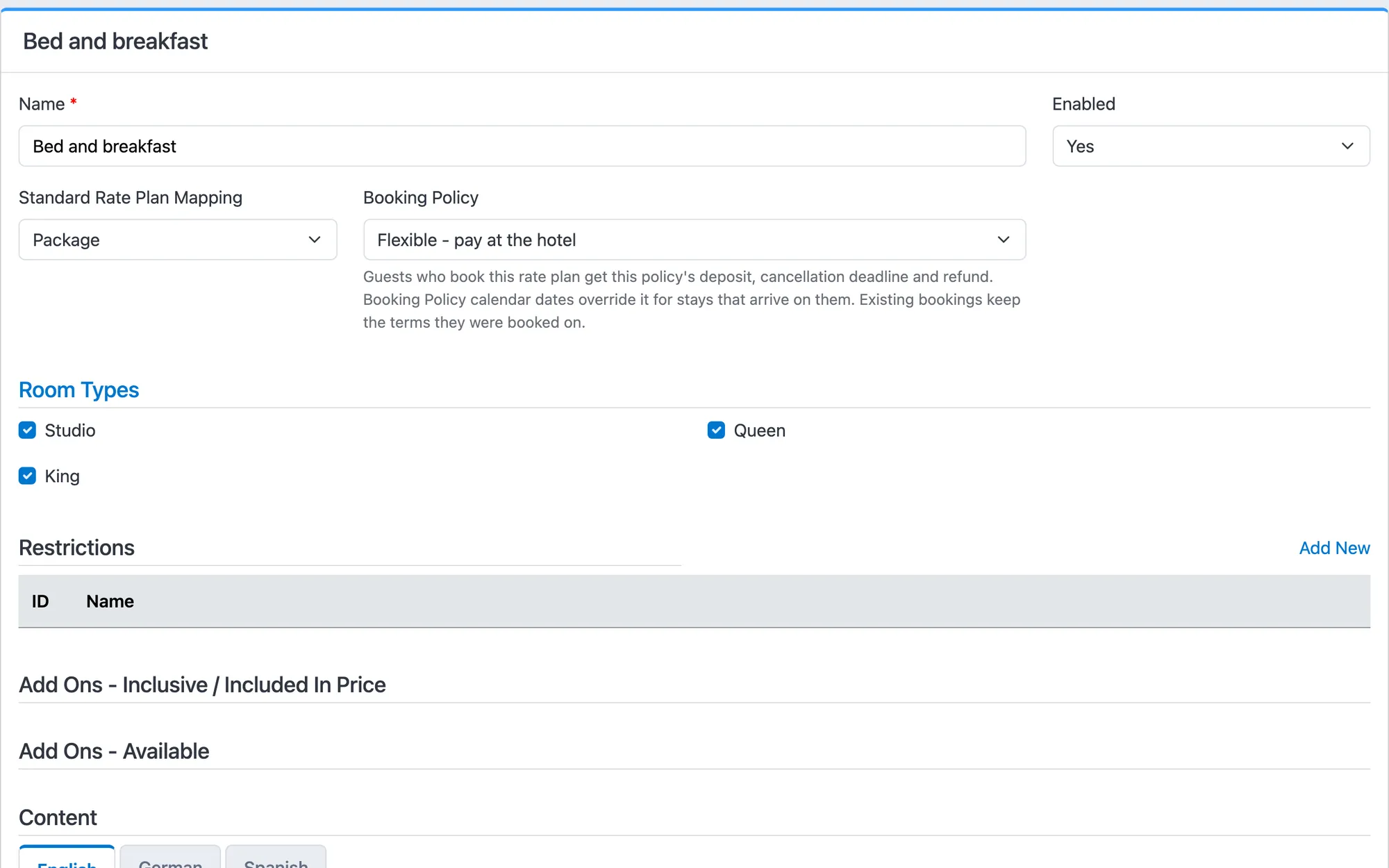
Rate plans with their own terms
A CRS rate plan sits on a channel manager rate plan, so derived rates and markups carry over. Give it its own booking policy, the extras it includes or offers, and a name and description in each language.
- Built on the channel manager's rate plan
- Its own booking policy
- The room types it sells
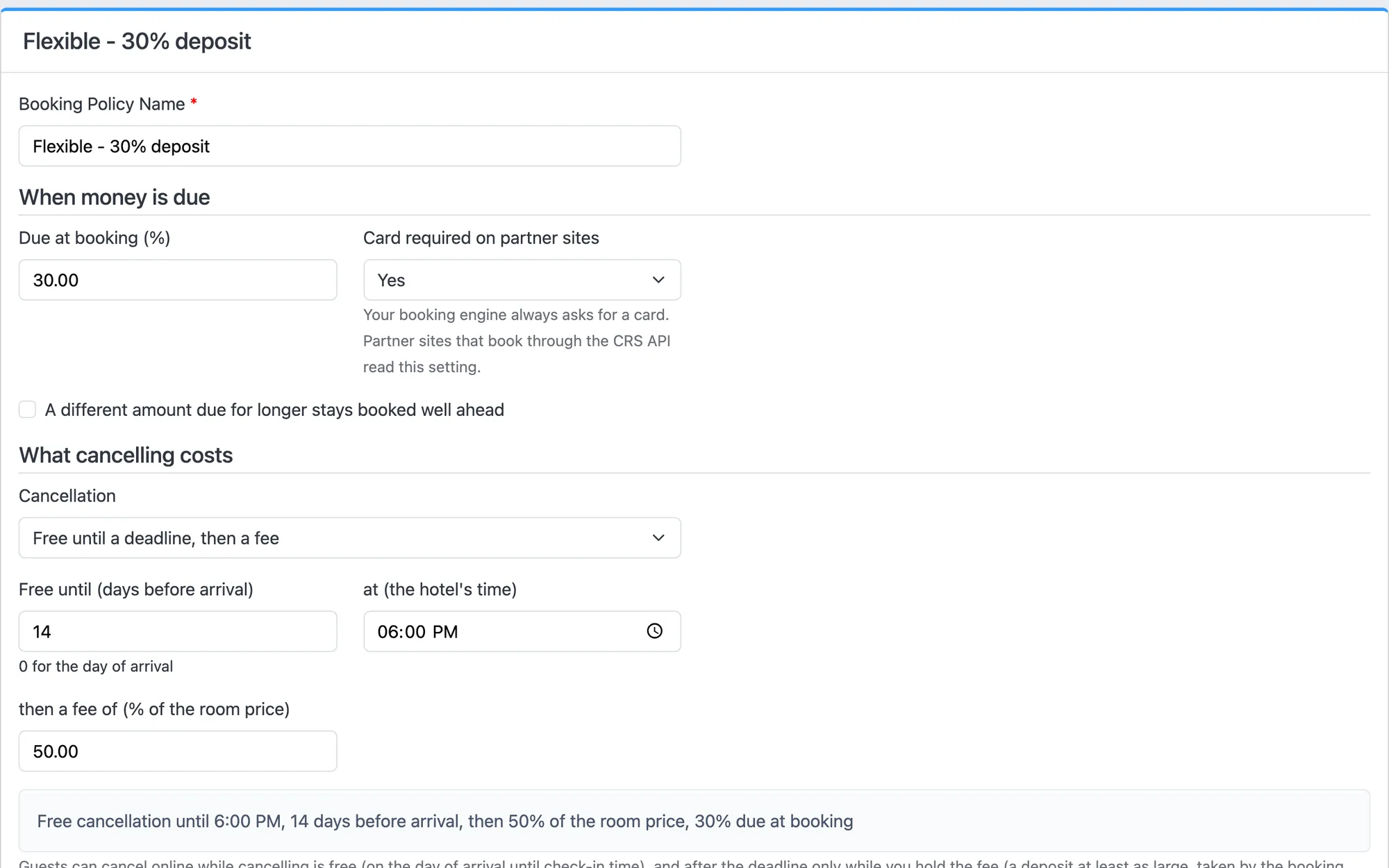
Deposits and cancellation, in your words
Ask for a deposit at booking, and a different one for long stays booked far ahead. Cancellation is free until a set day and hour, then a fee applies. A policy calendar covers trade fairs and peak dates, and every booking keeps the terms it was booked on.
- How much is due at booking
- Free cancellation until a day and time, then a fee
- The terms in plain words, saved with every booking
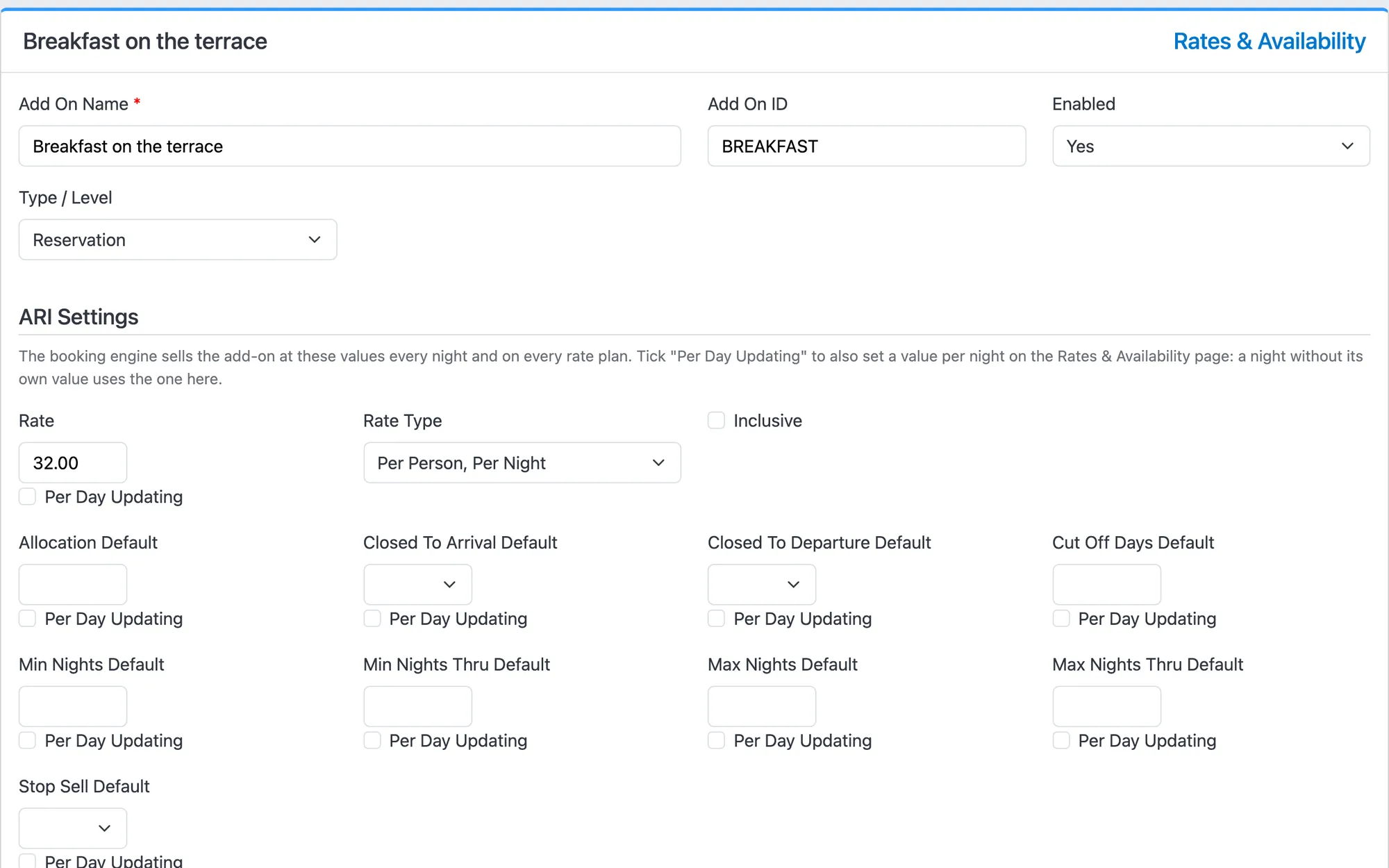
Extras with their own inventory
Breakfast, transfers, ski passes, late check-out: price them per stay, per item, per night, per person or per person per night. Each extra has its own allocation, restrictions, stop-sell and rates calendar.
- Five ways to price an extra
- Its own allocation
- Stop-sell and restrictions, night by night if you like
Promotions with real rules
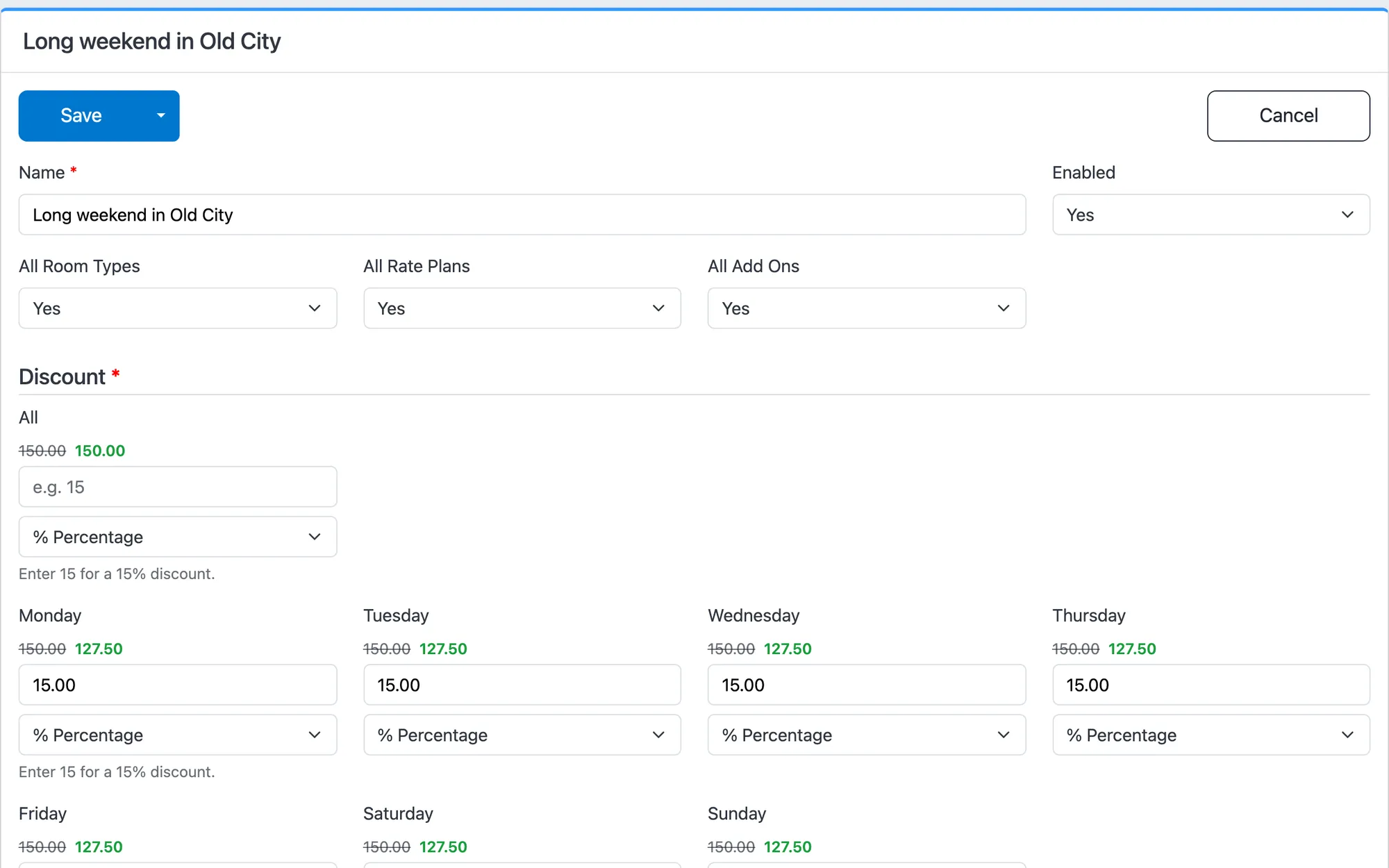
Set a discount per weekday, as a percentage or a fixed amount, for the room types, rate plans and extras you choose. Add booking and stay windows, blackout dates, length of stay, advance days and a coupon code.
- Which rooms, rates and extras it covers
- A discount per weekday, with the price it makes
What a guest pays, worked out
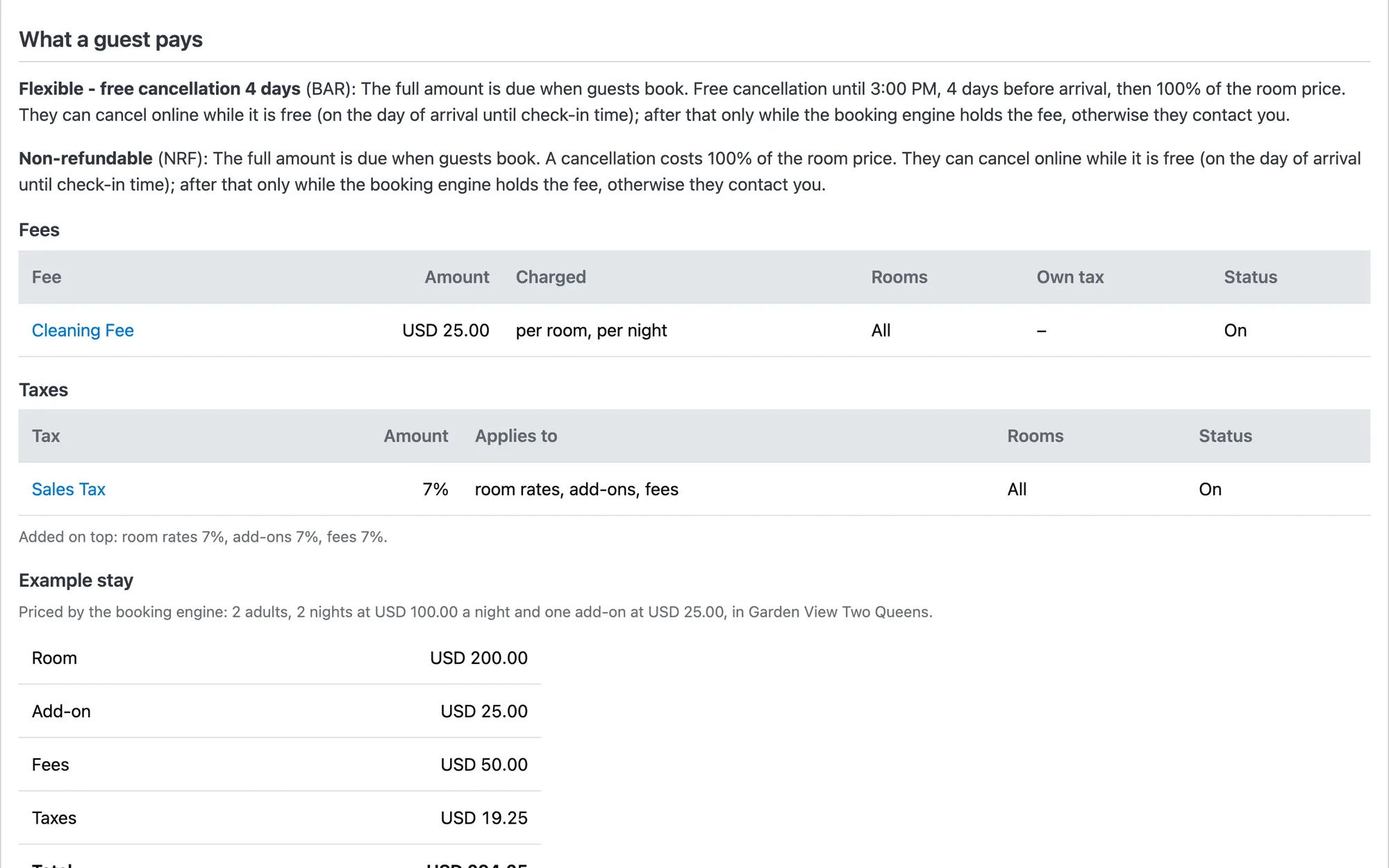
Taxes as a percentage or a fixed amount, included or added, on rooms, extras and fees. Fees per stay, room, night or guest. The summary prices an example stay the way the booking engine will.
- Fees per stay, room, night or guest
- Taxes on rates, extras and fees
- An example stay, priced by the booking engine
A readiness check before guests see it
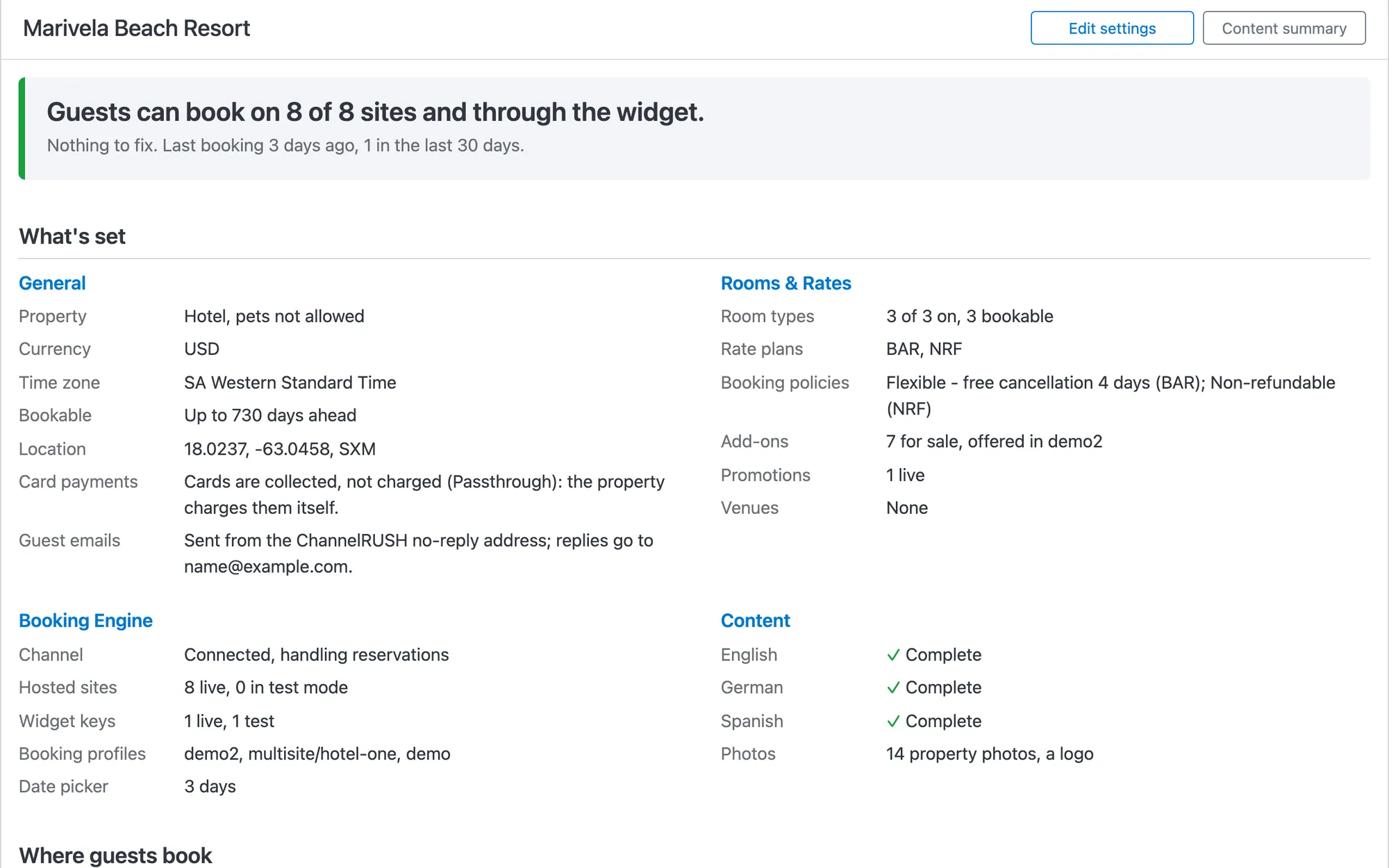
Before a property goes live, the readiness check lists anything missing, with a link to fix it. A complete property says “Nothing to fix” and shows every site it sells on.
- The verdict for the whole property
- Every site it sells on, live or in test mode
- Content complete in each language
One booking site that searches every property.
Give the portfolio a site of its own. Guests search every property by destination and dates, then book each one with its own rooms, rates and policies, from the same inventory as every other channel.
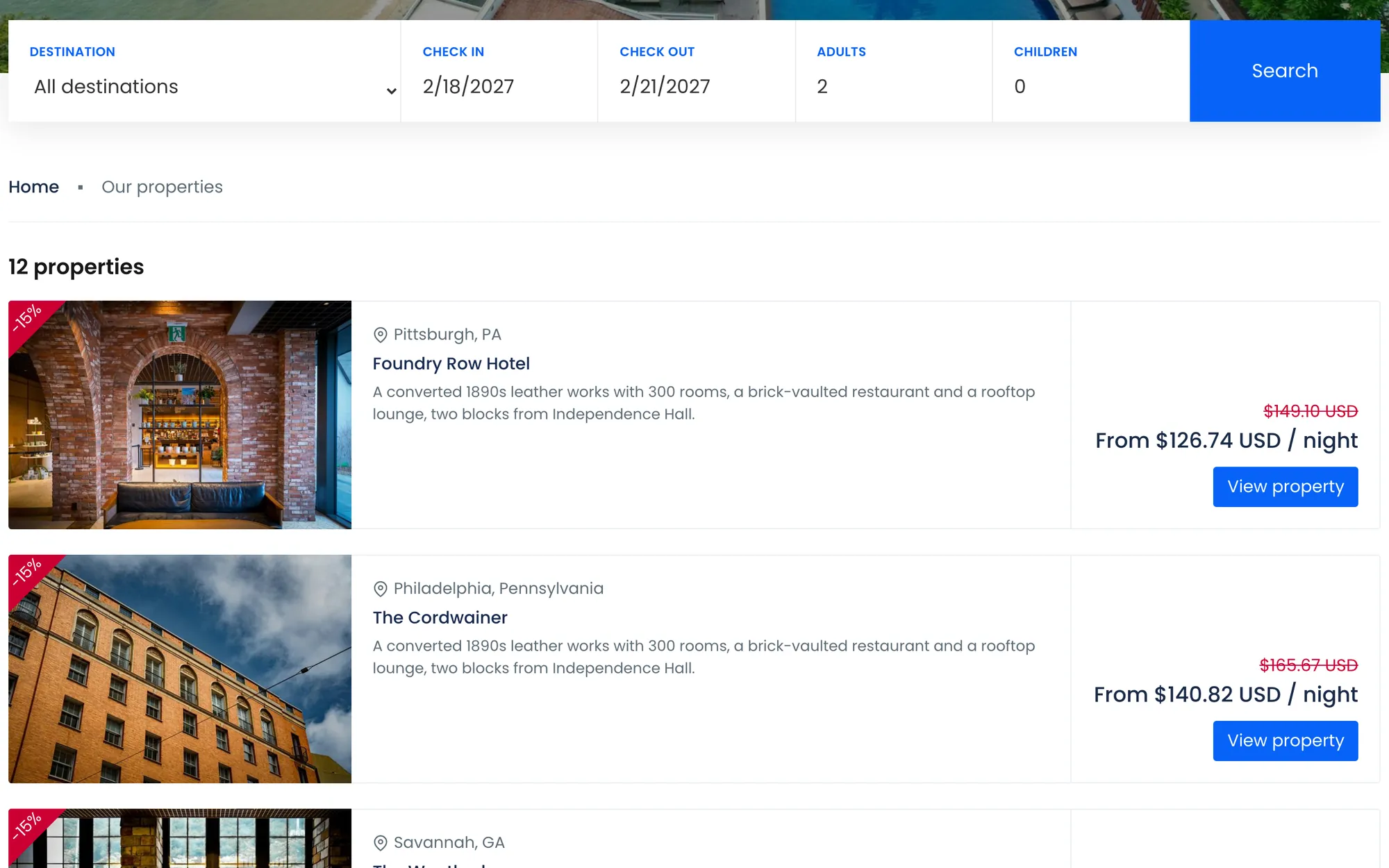
- Search one destination or all of them
- Every property in one list of results
- Each property's own price and promotion
The group's own content
Pages, testimonials, photos and contact details for the whole portfolio, in each language.
Its own words and currencies
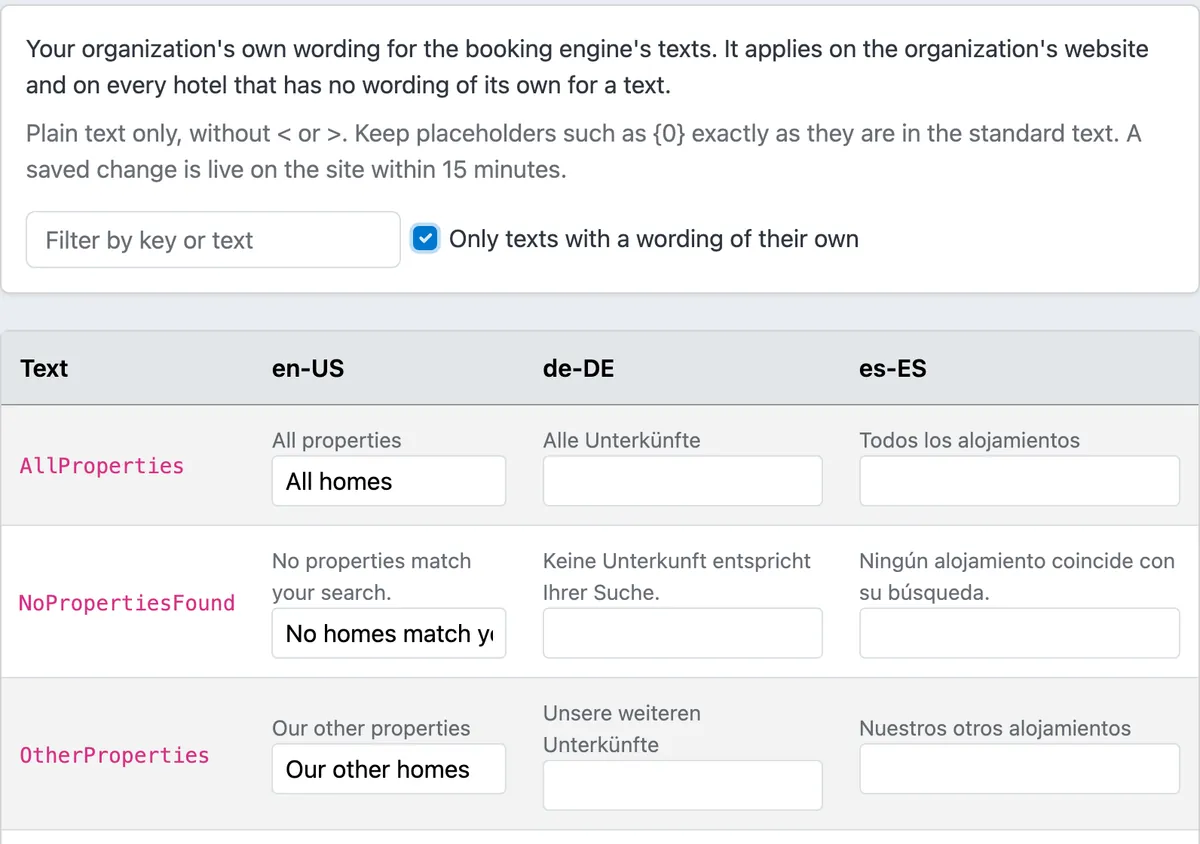
Call them hotels, lodges or homes in each language, and let guests switch currency.
A group edition of every theme
The group site and each property's pages share one look.
Search that grows with you
Destination and radius search, with Google Places suggestions once you list 25 properties.
The guest's side of booking, and every theme, are on the booking engine page.
Vacation rentals, home by home
Each home is its own property, with the vacation-rental type and its home facts on every card. Charge a cleaning fee, sell a pet fee as an extra, hold Saturday-to-Saturday arrivals, and send every home to Airbnb and Vrbo through the channel manager.
- Bedrooms, bathrooms and sleeps on every card
- A cleaning fee per stay, pets as an extra
- Saturday changeovers with weekday arrival rules
- Airbnb and Vrbo from the same calendar
More for rental managers on the vacation rentals page.
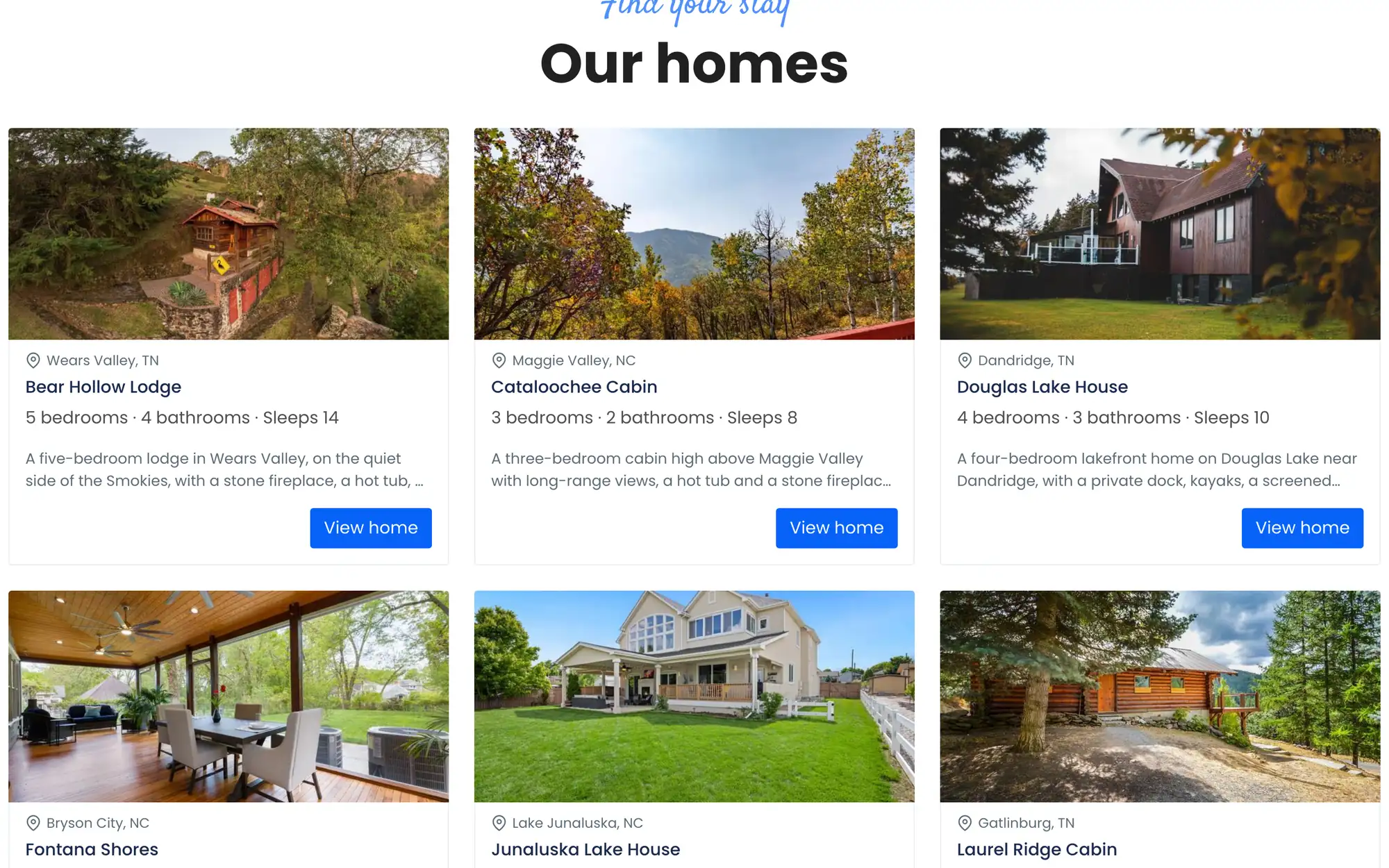
- Home facts on every card
- The group's own wording: homes, not properties, in every language you set.
Every point of sale books the same inventory.
Sell each room once, wherever the guest finds it. Rates, availability and restrictions come from one place, and every booking lands back in it.
Each property's booking site
On reservation.services or your own domain, with languages, currencies, promo codes, a multi-room cart, extras and deposits.
Booking EngineThe group site
One search across the portfolio, then each property's own booking pages.
See it aboveThe widget on your websites
Your existing websites take bookings through the widget, with keys tied to the sites you allow.
Booking EngineGoogle Hotels
Free booking links, priced from your booking engine, that land guests on the property's own site.
Partners, call centers and apps
The CRS API searches the portfolio, checks the live price, then books, changes and cancels, with a reservations feed and webhooks. Each partner gets its own content, language and currency.
CRS APIOTAs and the GDS
The channel manager sends the same inventory to Booking.com, Expedia, Airbnb, Vrbo, Travelport and 200+ channels in all, and brings their bookings back.
Channel Manager
Run the whole portfolio from one login.
One team, one back office. Switch properties from a searchable list, see the head-office view of every organization you manage, and give each person exactly the properties and permissions they need.
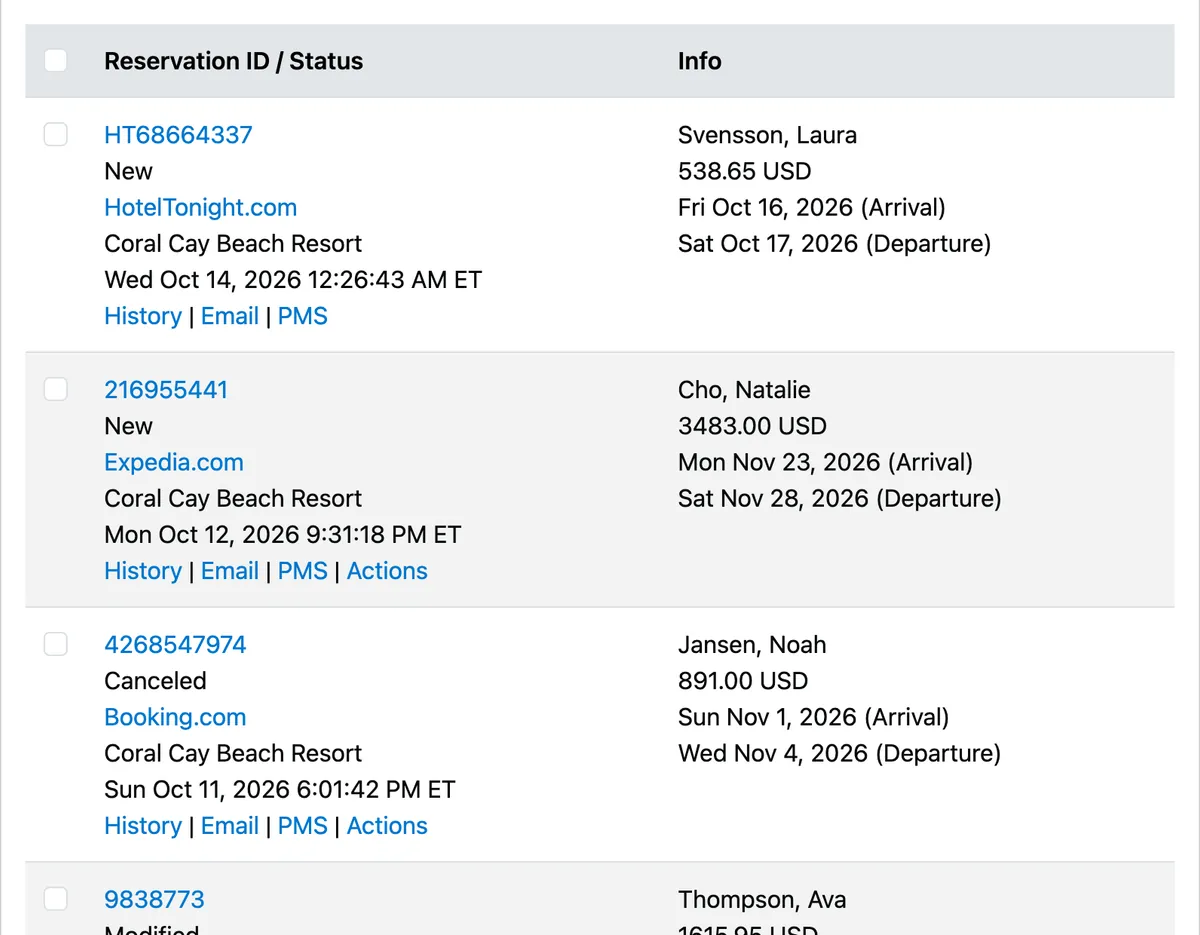
Every booking, every channel
Booking engine, OTA and partner bookings in one list, each with its version history and its delivery to your PMS.
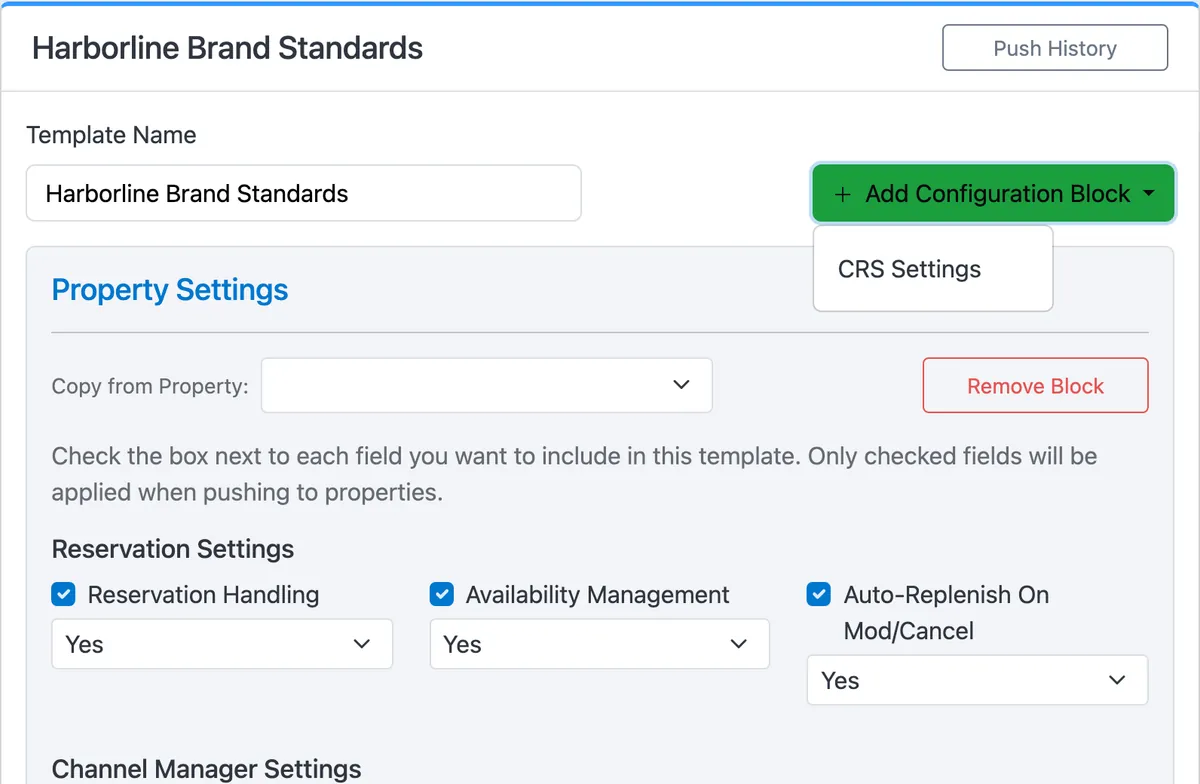
One setup, rolled out to many properties
Org Templates push rate plans, extras, taxes, fees and the policy and promotion set to the properties you choose, with a history of every push.
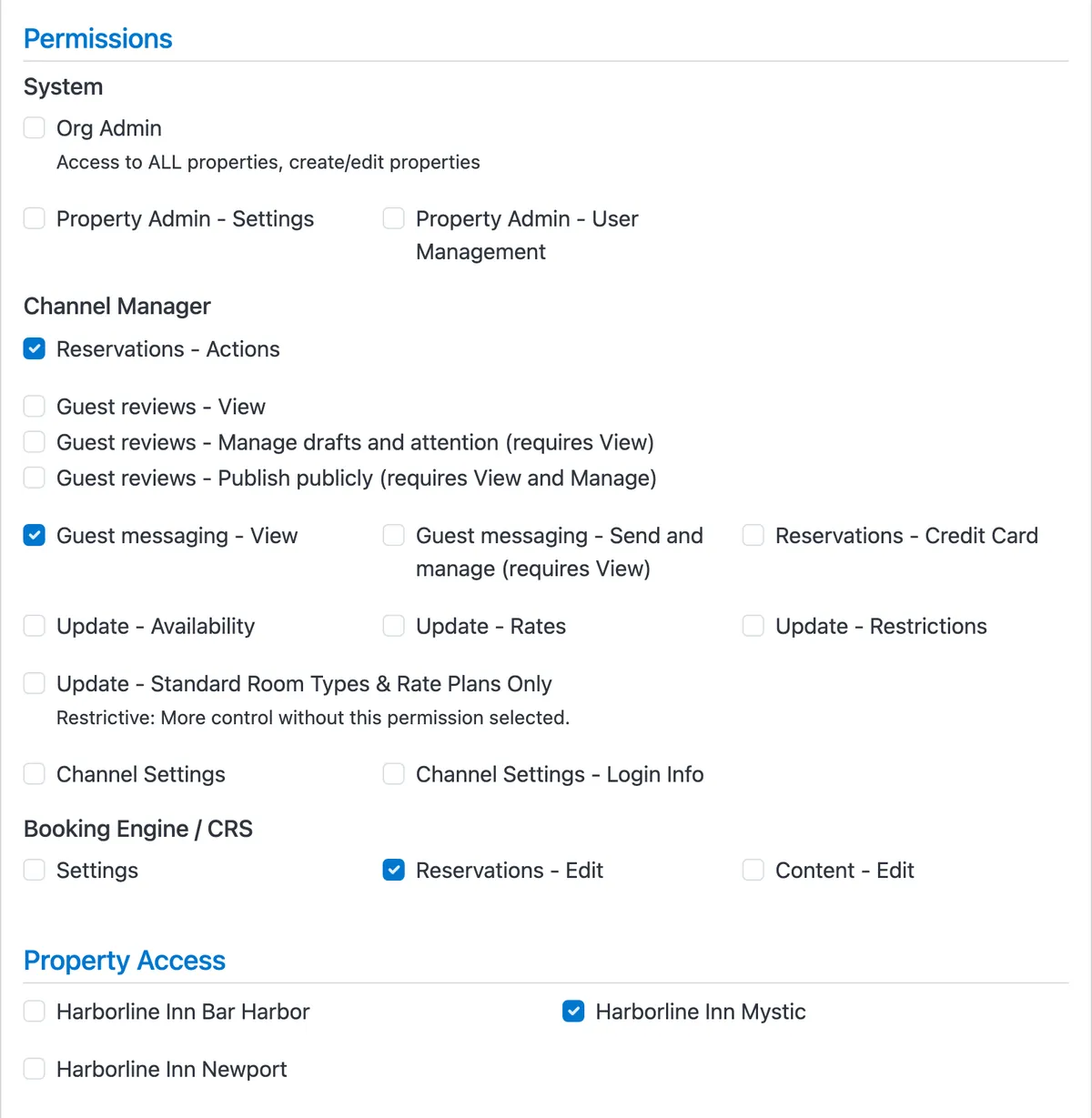
Staff see their own properties
Permissions for CRS settings, content, reservations and card access, and property access one property at a time.
Reports across the portfolio
- Portfolio Overview
- Daily Revenue / OTB
- Booking Pace / Pickup
- Rate Plan Performance
- Cancellation Analysis
- Booking Patterns
- Group Bookings
- Org Booking Engine Summary
Save any report and have it emailed on a schedule. All 31 are on the Channel Manager page.
More in the same back office
An AI assistant that answers questions about your portfolio, also from your own AI tools over MCP, plus guest messaging and guest reviews. See them on the Channel Manager page.
- Without one CRS
- A login per property, rates in a spreadsheet, policies copied by hand, and bookings in five places.
- With ChannelRUSH
- One login, one inventory, one push to every property, and every booking in one list.
“ChannelRUSH has provided us excellent service over the past decade for our 12 properties in California, regularly updating their system with new interesting features to keep up with the technology.”
Good Night Inns — 12-property portfolio, California.
A record you can audit.
When a guest, an OTA or your finance team asks what happened, the answer is already on file.
Every version of every booking
New, modified, cancelled: each version is kept with its source, its rates and its delivery to your PMS.
Every action, with its IP
The system log records who changed what, when and from where, on every property.
Guest data kept as long as you say
Each property sets how long guests' personal data stays after checkout, from 3 to 42 months.
Two-factor sign-in
By text message, authenticator app, voice call or email, for every user.
Card details behind a lock
Seeing a card number takes its own permission and a fresh password check.
Built for PCI-DSS and GDPR
Card-testing defenses on every booking site, and the tools to answer guests' data requests.

How onboarding works
Talk to us
Tell us about your portfolio, your PMS and where you sell today. We'll show you the CRS with properties like yours.
Set up, property by property
We connect your PMS and channels, set up each property's rooms, rates and policies, and roll shared settings out with Org Templates.
Go live
Test each booking site with a test card, then switch the property live when it's ready.
Ready to see your portfolio in one place?
Talk to us
See your portfolio in one reservation system.
Tell us how many properties you run and where you sell them. We'll walk you through the CRS in 20 minutes, with a setup like yours.

Frequently Asked Questions
A central reservation system (CRS) holds one inventory for a whole portfolio: each property's rooms, rates, availability, restrictions and reservations, per channel. Every point of sale books against it, from each property's own booking site and a group site to partners, Google and the OTAs.
ChannelRUSH's CRS ties together the channel manager, the booking engine and the content management system, so a group runs distribution, direct booking and content from one login.
A channel manager pushes rates, availability and restrictions out to channels that keep their own copy, such as the OTAs.
A CRS is the inventory itself: your booking sites, the group site, the widget and partners ask it for the live price and book against it in real time. ChannelRUSH does both from the same inventory, so the two never disagree.
Yes. Every group gets a booking site of its own that searches all of its properties by destination and dates. Guests pick a property from the results and book it with that property's own rooms, rates and policies. The group site has its own pages, testimonials, photos, wording and currencies, and every ChannelRUSH theme has a group edition.
Each property has its own CRS rate plans, booking policies, extras, promotions, taxes and fees, so a resort and a city hotel can sell differently. To keep a group consistent, Org Templates roll rate plans, extras, taxes, fees and the policy and promotion set out to many properties at once, and every property can still be adjusted afterwards.
ChannelRUSH connects to the Travelport GDS (Galileo, Apollo and Worldspan), with negotiated rate codes, so travel agents and TMCs book your rates alongside your OTA and direct channels. Call centers and partners book through the CRS API, and every booking lands in the same reservation list.
Every reservation keeps its full version history, and every user action is logged with its IP address. Each property sets how long guests' personal data is kept after checkout, users sign in with two-factor authentication, and card details need their own permission and a fresh password check. The platform is built for PCI-DSS and GDPR.
Guides and definitions
Central Reservation Systems for Hotels: What is a CRS?
What a central reservation system does, and how it simplifies reservations across properties.
Read on the blog
Channel Manager vs. CRS: What’s the Difference?
Where a channel manager and a CRS overlap, and the job each one does on its own.
See the glossary entry
Hotel Allocation
The number of rooms a hotel has available to sell.
See the glossary entry